
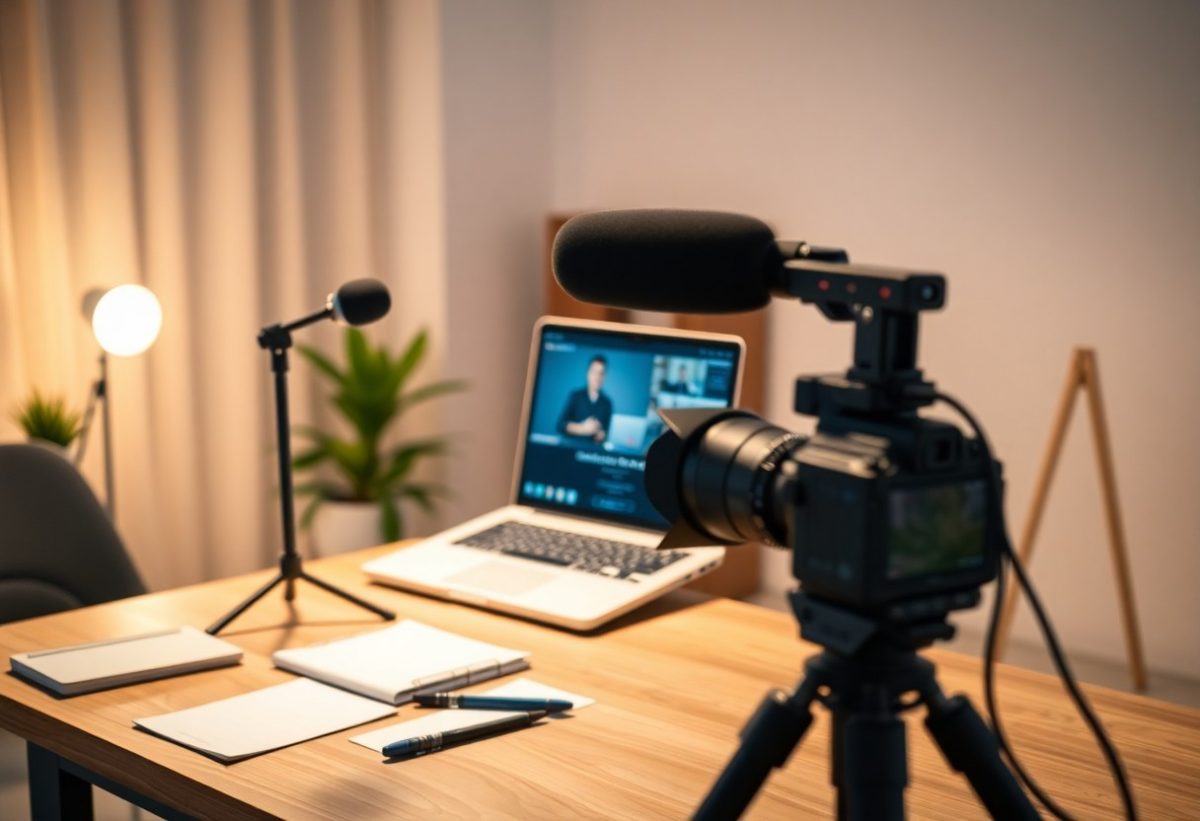
You need the right tools to create engaging and professional webinars that captivate your audience. From high-quality presentation software to reliable streaming platforms, each tool plays a vital role in ensuring your content is delivered effectively. Enhancing your webinars with the appropriate equipment not only improves viewer experience but also boosts your confidence as a presenter. In this post, you’ll discover necessary tools that will elevate your webinars and help you connect more meaningfully with your audience.
Key Takeaways:
- Select reliable webinar software with interactive features.
- Invest in quality microphones and cameras for clear audio and video.
- Prepare engaging content and visuals to maintain audience interest.
- Practice your delivery and familiarize yourself with the tools.
- Collect feedback post-webinar to improve future presentations.
The Essential Software: Choosing the Right Platform
Webinar Hosting Services: A Comparison
Finding the right webinar hosting service is necessary for delivering a seamless experience. Consider factors like user interface, integrations, features, and pricing structure when making your choice.
Comparison Table
| Platform | Key Features |
|---|---|
| Zoom | Breakout rooms, polls, and high attendee limits. |
| Webex | Strong security features and seamless integration with Cisco products. |
| GoToWebinar | Integrated marketing tools and analytics. |
| Google Meet | Easy integration with Google Workspace and high compatibility. |
Interactive Features: Polls, Chats, and Q&A Tools
Engagement is heightened through interactive features like polls, chats, and Q&A tools. These elements encourage audience participation, making your webinars more dynamic and effective.
Polls can gauge understanding or preferences in real-time, while chat functions enable direct interaction with attendees. Having a designated Q&A tool allows participants to ask questions, enriching the discussion and maintaining interest throughout the session. A well-integrated interactive feature set transforms a passive viewing experience into an active dialogue.
Recording and Playback Options: What to Look For
Seek platforms that offer robust recording and playback options, ensuring your content is accessible post-event. Features like automatic recording and easy playback are beneficial.
Accessing recorded webinars is vital for attendees who missed the live session, and it allows for the creation of on-demand content. Look for platforms that provide editing tools for refining recorded sessions, enabling you to highlight key moments or streamline the presentation for future audiences.
Setting the Stage: The Importance of Presentation Design
Creating Visually Engaging Slides
Slides serve as your visual storytelling medium, transforming data and concepts into easy-to-understand graphics. Utilize ample whitespace, bold colors, and clear fonts to maintain audience focus. Incorporate bullet points instead of long paragraphs, aiming for no more than six lines of text per slide. This approach keeps your audience engaged, allowing them to absorb the core message without distraction.
Utilizing Branding Effectively
Your brand identity should permeate every aspect of your presentation. Align colors, fonts, and logos with your overall branding to promote recognition and trust. Consistency reinforces your message, making your content memorable and distinct in a competitive environment.
Branding isn’t just about aesthetic appeal; it’s a strategic tool to create psychological connections with your audience. Effective branding can boost retention by 80%. For instance, if you consistently use specific colors associated with your brand, viewers will subconsciously associate those colors with your values and expertise, leading to increased audience loyalty over time.
Incorporating Multimedia: Videos and Graphics
Incorporating multimedia elements like videos and graphics enhances engagement and comprehension. Use animations, infographics, and short clips to illustrate complex points or add a dynamic layer to your presentation. Limit video lengths to maintain attention and ensure all visuals are relevant to your content.
Engaging multimedia content can significantly elevate your webinar. For example, research indicates that 65% of people are visual learners. By strategically integrating animated graphics or video testimonials, you can transform plain data into compelling narratives. This not only helps retain audience interest but also deepens understanding, increasing the likelihood of retention and application of the information presented. Aim for a balance that ensures multimedia serves, rather than distracts from your core message.
Ensuring High-Quality Audio and Visuals
Webinar Equipment: Microphones, Cameras, and Lighting
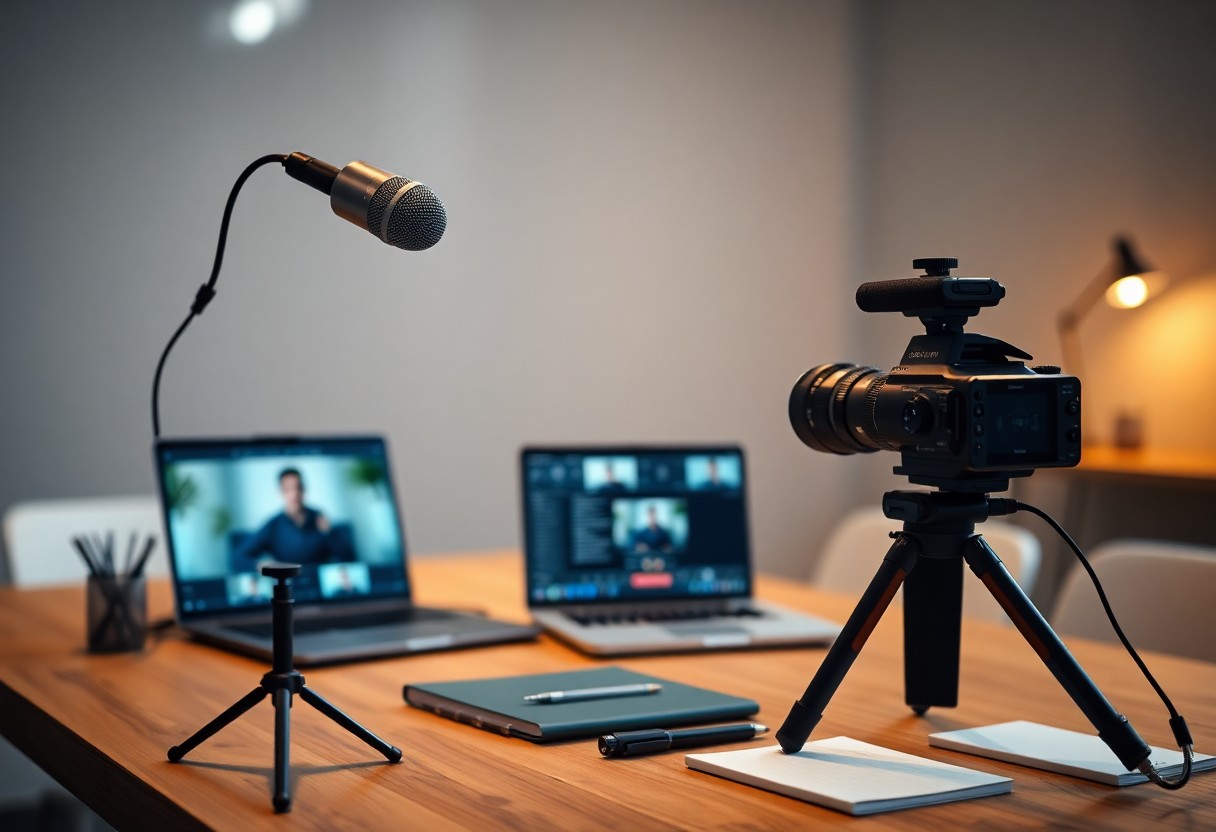
Investing in quality equipment significantly impacts your webinar’s professionalism. Select a condenser or dynamic microphone to capture clear audio and reduce background noise. Webcams like the Logitech C920 or higher-resolution models enhance your visual presence, while adjustable lighting or softbox kits can create flattering illumination that eliminates shadows and highlights your features. Prioritize these elements for polished and engaging presentations.
Bandwidth Optimization: Preventing Connectivity Issues
Optimizing your bandwidth ensures smooth delivery without interruptions. Use a wired Ethernet connection over Wi-Fi to enhance stability and reduce latency. Limit background applications that consume bandwidth, and consider conducting a speed test to verify your internet speed prior to the event. Allocate at least 5 Mbps upload and download speeds for seamless streaming.
Further strategies for bandwidth optimization include scheduling your webinar during off-peak hours and disabling video when not necessary to conserve bandwidth. Conducting a rehearsal with all your equipment to identify potential issues can also be beneficial. Use tools like Zoom or Google Meet’s built-in bandwidth tester to assess quality before going live. Your audience will appreciate a reliable and uninterrupted viewing experience, making consistent preparation worthwhile.
Enhancing Audience Engagement Through Innovative Tools
Gamification Strategies for Increased Participation
Incorporating gamification into your webinars transforms passive viewers into active participants. By adding elements like quizzes, polls, and contests, you can create an interactive environment that encourages engagement and competition. Offering rewards for participation, such as discounts or exclusive content, boosts attendance and keeps your audience invested in the experience.
Leveraging Social Media for Broader Reach
Utilizing social media platforms amplifies your webinar’s visibility and attracts a wider audience. Promoting your event across channels like Facebook, Twitter, and LinkedIn enables you to target diverse demographics, enhancing participant diversity. Craft compelling posts that highlight key takeaways and share real-time updates to generate buzz.
Engaging your audience through social media also allows for ongoing conversations before, during, and after your webinars. You can use Twitter hashtags to create a community around your event, enabling participants to share insights and experiences. Platforms like Instagram provide opportunities for visual storytelling, showcasing behind-the-scenes content to pique interest and enhance your brand’s connection with the audience.
Follow-up Tools for Audience Retention
Effective follow-up tools are imperative for maintaining audience interest and fostering long-term relationships. Utilize email marketing platforms to send personalized thank-you messages, recap highlights, and offer additional resources. Consistent, thoughtful engagement helps nurture leads and keep your audience informed about future events.
Following your webinar, implementing automated sequences can streamline communication. For example, sending tailored content based on participant behavior during the webinar can significantly increase engagement rates. Use analytics to track open rates and interactions, adjusting your strategies based on insights gained to continuously enhance your audience’s experience and retention rates.
Crafting Compelling Content: The Heart of Your Webinar
Developing a Clear Narrative Structure
Structuring your content with a clear narrative helps guide your audience through the information seamlessly. Start with an engaging introduction that outlines your main points, followed by a logical progression of ideas that build on each other. Use storytelling techniques to create a connection, incorporating real-life examples or case studies that reinforce your message. Finally, conclude with a strong summary that reaffirms your key takeaways and inspires your audience to act.
Tailoring Content to Different Audience Needs
Understanding your audience is crucial for tailoring your content effectively. Identify specific demographics, interests, and challenges of your attendees and align your topics to address these aspects. Use surveys or polls before the webinar to gather insights, allowing you to customize your content in a way that resonates deeply with participants. This encourages engagement and ensures that your message is relevant to their unique circumstances.
For a more impactful approach to audience engagement, segment your content based on established personas. Create specific modules or breakout sessions addressing varying skill levels or industry sectors. For instance, if you’re hosting a webinar on digital marketing, differentiate strategies for beginners versus advanced users. Engaging different segments not only enhances learning but also maintains interest throughout the session, increasing overall satisfaction.
Inviting Guest Speakers: Collaboration Best Practices
Integrating guest speakers can elevate your webinar by bringing diverse perspectives and expertise. To maximize this collaboration, choose speakers whose knowledge complements your content and who can engage the audience effectively. Prior to the event, conduct briefing sessions to align on objectives and key messages, ensuring a cohesive delivery that maintains your audience’s focus.
Effective collaboration hinges on clear communication from the outset. Discuss expectations, content flow, and technical needs, offering your speakers guidance on your audience’s preferences. Design an agenda that allows for seamless transitions between you and your guests, encouraging interactive segments such as Q&A sessions to foster audience involvement. By preparing thoroughly and respecting each speaker’s style while maintaining a unified theme, you can significantly enhance the overall quality of your webinar.
The Art of Live Delivery: Presentation Skills for Success
Mastering Public Speaking Techniques
Engaging your audience requires strong public speaking techniques. Focus on clear articulation, dynamic voice modulation, and purposeful eye contact to enhance your delivery. Incorporate storytelling elements that resonate with listeners, allowing them to connect emotionally with your material. Practice regularly to refine these skills and adapt your presentation style to find what works best for you.
Reading Audience Reactions in Real-Time
Being attuned to your audience’s reactions can inform your delivery and pacing. Watch for non-verbal cues such as nodding or fidgeting, which indicate interest or distraction. Adjust your content dynamically, maybe even changing your tone or posing a question to re-engage if you sense a loss of focus.
Responding to your audience’s reactions in real time allows you to tailor your presentation to their needs. For instance, if you notice confused expressions during a complex section, take a moment to clarify or simplify your explanation. Additionally, leveraging polls or live questions can provide instant feedback, helping you gauge engagement effectively.
Overcoming Nervousness and Technical Difficulties
Nervousness is common for presenters, but it can be managed through preparation and practice. Familiarizing yourself with your material and conducting run-throughs can bolster your confidence. Embrace a simple mantra or breathing exercises to settle your nerves before going live.
Technical difficulties may arise unexpectedly, but having a backup plan in place can alleviate stress. Familiarize yourself with the platform you’re using, and ensure you have technical support on standby. Preparing alternate content, like slides or videos, can also keep the presentation flowing smoothly, regardless of disruptions.
Marketing Your Webinar: Strategies for Maximum Attendance
Building an Effective Promotional Campaign
To draw in attendees, craft a promotional campaign that resonates with your target audience. Utilize a mix of social media platforms, blog posts, and partnerships with influencers to amplify your reach. A compelling landing page that highlights the benefits of attending your webinar, coupled with eye-catching graphics, can significantly improve conversion rates. Make sure to utilize multiple channels and touchpoints to ensure maximum visibility for your event.
Email Marketing Tactics for Engagement
Email marketing plays a pivotal role in enhancing engagement before your webinar. Create tailored email sequences that not only remind your audience about the event but also include sneak peeks of the content to spark interest. Personalization will drive higher open rates; segment your list based on past interactions or demographics to send relevant messages that resonate with specific groups.
Utilizing dynamic subject lines and engaging content within your emails can dramatically increase participation numbers. For instance, sending a countdown email a week prior, followed by teaser emails with hints about exclusive insights or guest speakers, keeps excitement alive. Incorporate clear calls-to-action that direct recipients to register easily, ensuring every email drives them closer to signing up.
Utilizing Analytics for Targeted Outreach
Leveraging analytics can refine your promotional efforts by identifying your most engaged audience segments. Analyze past webinar metrics, such as registration rates and attendance numbers, to uncover patterns that inform your strategy. Understanding which channels yield the best results helps you allocate resources more effectively.
By examining data, you can discover which topics resonated with your audience in previous webinars, enabling you to tailor future content accordingly. Additionally, utilize A/B testing for your promotional materials to optimize messaging and design. Tracking engagement metrics allows for adjustments in real-time, enhancing both registration and attendance rates for your upcoming webinars.
Complying with Legal Standards and Accessibility
Understanding Copyright Issues with Content
Using copyrighted materials without permission can lead to serious legal repercussions. Always verify the ownership of images, videos, and music before including them in your webinars. Fair use might apply in some cases, but understanding the limitations is imperative. Consider utilizing royalty-free content or acquiring licenses to ensure your webinar is both legal and professional.
Ensuring Accessibility for All Audience Members
Accessibility mandates that your webinar be usable by individuals with disabilities. This includes providing captions, using screen reader-friendly platforms, and ensuring visual materials are appropriately described. By integrating these features, you create a more inclusive environment that enhances the experience for all participants.
Accessible webinars encourage engagement from diverse audiences. Consider utilizing captioning services to provide real-time subtitles for participants who are deaf or hard of hearing. Moreover, incorporate audio descriptions for visual content to assist those who are visually impaired, ensuring everyone has the opportunity to fully engage with your material.
Privacy Considerations: Data Collection and GDPR
Protecting your audience’s privacy is non-negotiable, especially under GDPR regulations. The data you collect should only be necessary for the purpose of the webinar. Clearly communicate how you will use this data, and obtain explicit consent from participants when required.
Implementing strong data protection strategies involves using secure platforms for registration and storage. Highlight your privacy practices in your registration materials and follow them scrupulously. If you’re targeting attendees in Europe, ensure your data management practices align with GDPR standards, which may require implementing data rights for removal and access upon request. This transparency fosters trust and credibility.
Measuring Success: Evaluating Webinar Performance
Key Metrics to Track Post-Webinar
Tracking key metrics post-webinar can provide valuable insights into your performance. Focus on attendance rates, engagement levels, average viewing time, and conversion rates. These metrics highlight how well your content resonated with the audience and whether your call-to-action was effective. For example, a 50% attendance rate may indicate issues with your promotion strategy, while a 30% conversion rate suggests that your content engaged viewers effectively.
Gathering Feedback: Surveys and Follow-ups
Implementing surveys and follow-ups after your webinar can unveil participant insights. These tools help you gauge satisfaction, understand attendees’ needs, and identify areas for enhancement. Tailored questions about content relevance and delivery style can lead to actionable feedback that boosts your future webinars.
Utilizing post-webinar surveys allows you to ask specific questions related to the content and delivery. Consider including rating scales and open-ended questions that invite detailed feedback. Following up with participants through personalized emails can foster relationships and encourage ongoing engagement with your brand. This strategy not only demonstrates that you value their opinions but also helps inform your next session’s content and approach.
Continuous Improvement for Future Webinars
Regularly applying feedback loops ensures continuous improvement in your webinars. Analyzing survey results and attendance data directs your focus toward what truly resonates with your audience. Make adjustments based on these insights, whether that’s refining your content, improving your delivery, or experimenting with new formats.
Establish a feedback cycle where you systematically review performance after each event. Use findings to set specific goals for your next webinar, such as increasing viewer engagement or enhancing presentation style. For instance, if attendees suggest more interactive elements, consider incorporating polls or Q&A sessions. Each iteration builds on the last, enhancing your overall effectiveness and engagement with your audience.
Building a Community Beyond the Webinar
Creating Ongoing Engagement with Participants
Engagement doesn’t stop when the webinar ends. Leverage follow-up emails to thank participants and share additional resources that enhance the webinar content. Encourage discussions by asking for feedback, inviting questions, and creating polls to sustain interaction. Regularly scheduled Q&A sessions or exclusive access to webinar recordings can keep participants connected and invested in your community.
Developing an Online Presence: Blogs and Social Media
Your online presence significantly impacts how effectively you build a community. Regular blog posts can expand on webinar topics, providing deeper insights and fostering discussion. Social media platforms serve as dynamic spaces for real-time engagement, where you can share highlights, behind-the-scenes content, and interact with your audience directly.
Utilizing blogs allows you to establish expertise while providing actionable insights. Regular posts that address questions or themes raised during webinars can create a strong link between your webinar content and your audience’s interests. Social media campaigns, such as live Q&As or themed hashtags, can enhance visibility and encourage broader participation, leading to new followers who are interested in your content.
Fostering Networking Opportunities among Attendees
Cultivating networking opportunities enhances the value of your webinars. Create dedicated online spaces like forums or private groups where attendees can connect, share resources, and discuss topics of interest after the event.
Offering facilitated networking sessions during or after the webinar allows participants to engage more deeply with each other, sharing their experiences and insights. Incorporating structured networking time, such as breakout rooms, can lead to meaningful connections, which often result in collaborative projects or lasting professional relationships. Additionally, sharing participant contact information with permission can help attendees follow up and maintain these newly-formed connections.
The Future of Webinars: Emerging Technologies and Trends
The Rise of Augmented Reality and Virtual Reality
Augmented Reality (AR) and Virtual Reality (VR) are set to revolutionize how webinars are experienced. By immersing participants in interactive environments, you can enhance engagement and retention. For instance, using VR headsets allows attendees to participate in realistic simulations, making complex topics easier to grasp through visual experiences that traditional formats simply can’t match.
Artificial Intelligence in Webinars: Personalization Trends
Artificial Intelligence (AI) is transforming webinars by offering data-driven personalization that tailors content to individual preferences. With AI tools analyzing attendee behavior and feedback, you can adapt your content dynamically, ensuring a more relevant and engaging experience for each participant.
Personalization extends to aspects like content recommendation, automated follow-ups, and even chatbots that provide real-time responses. For example, analytics can help you identify which topics resonate most with your audience, allowing you to refine future webinars. Leveraging these insights enables you to create a more tailored experience, enhancing satisfaction and increasing the likelihood of repeat attendance.
Predictions for Webinar Practices in the Next Decade
In the next decade, webinars will likely evolve into hybrid experiences that blend in-person and virtual elements seamlessly. You can expect advancements in platform capabilities, allowing for interactive features like live polling, multi-camera views, and breakout sessions that mimic real-life interactions.
With technology progressing rapidly, the integration of blockchain for secure registrations, and enhanced data analytics for richer insights is anticipated. These developments will not only streamline the user experience but also foster a sense of community among attendees, significantly influencing how you approach webinar design and execution in the future.
Lessons Learned from Leading Webinar Experts
Insights from Successful Webinar Hosts
Successful webinar hosts emphasize the importance of engaging storytelling and personalized content. They recommend fostering interaction through Q&A sessions to keep your audience engaged. Knowing your target audience and catering your message to their interests significantly enhances viewer retention and satisfaction. Furthermore, frequent practice and feedback loops allow you to refine your delivery and content structure for maximum impact.
Common Mistakes and How to Avoid Them
Many hosts fall into the trap of overloading slides with information or disregarding the importance of rehearsal. Engaging your audience often takes a backseat to content delivery, leading to disengagement. To avoid these pitfalls, aim for simplicity in your slides and prioritize audience interaction to keep energy levels high throughout your presentation.
A common mistake in webinars is assuming that a well-structured presentation alone will ensure participant interest. Without regular engagement, attendees may tune out. Incorporating polls, quizzes, and invites for audience comments creates a dynamic atmosphere. Additionally, neglecting technical preparations can lead to glitches during the webinar. Test your setup beforehand to ensure a smooth experience for both you and your audience.
Evolution of Webinar Techniques Over Time
The approach to webinars has evolved dramatically from static presentations to interactive experiences. Techniques now encompass a wide array of multimedia tools, including live polls and breakout sessions, to foster deeper communication. This transformation reflects a growing understanding that audience engagement is pivotal in achieving learning objectives.
Initially, webinars relied heavily on slide-based presentations, often resulting in one-sided conversations with minimal interactivity. Today, successful hosts utilize a combination of video, audio, and direct audience engagement platforms. The shift towards personalization has allowed for tailored experiences that resonate more deeply with viewers, leading to improved retention and satisfaction rates. By adapting and embracing newer techniques, you can create webinars that not only inform but also inspire actionable engagement.
Navigating Common Challenges in Webinar Hosting
Dealing with Technical Glitches Gracefully
Technical issues can arise unexpectedly, disrupting the flow of your webinar. Preparing ahead for potential glitches includes testing your equipment and software thoroughly before the session begins. Create a backup plan, like having a co-host ready to step in while you troubleshoot. Communicate openly with your audience if problems occur and keep them engaged by discussing relevant topics or sharing insights until you resolve the issue.
Managing Diverse Audience Dynamics
Every webinar attracts a varied audience with different backgrounds, expectations, and knowledge levels. Engaging this diverse group requires a flexible approach, allowing you to adapt your content and delivery style on the fly. For instance, encourage participation through polls or Q&A sessions, catering to both novices and advanced participants while ensuring everyone feels included and valued. Recognizing various perspectives can foster a richer dialogue.
Your audience might consist of industry veterans, beginners, and even those simply curious about your topic. Tailoring your language and examples can bridge the gap between differing experience levels. Using inclusive questions and offering breakout discussions can stimulate interactions and allow for deeper engagement. Actively seek feedback to understand the dynamic better and adjust your future webinars accordingly.
Strategies for Time Management During Sessions
Time management is vital in keeping your webinar on track and maintaining audience engagement. Define key points in advance and allocate specific time slots for each section. Use timers or cues to stay within your schedule, ensuring you cover all planned topics without rushing. Encourage audience participation but keep discussions concise to respect everyone’s time.
Implementing effective time management strategies enhances the overall experience. Start with a clear agenda and share it with your participants, setting expectations. Break your content into digestible segments with time limits, allowing for short interactive polls or Q&A sessions between sections. This balance prevents information overload while keeping the audience engaged and invested in the outcome of the session. Tracking time diligently will create a smoother presentation flow and increase audience satisfaction.
Summing up
Presently, to create amazing webinars, you need a reliable platform for hosting, tools for engaging your audience like polls and Q&A features, and effective presentation materials that enhance your message. Invest in good audio and video equipment for clear communication, and leverage analytics tools to understand your audience’s engagement. By combining these elements, you can elevate your webinars and deliver valuable content that resonates with your viewers, driving better results and growth in your online presence.
FAQ
Q: What software is best for hosting webinars?
A: Popular software options include Zoom, GoToWebinar, and Webex. Each offers various features like screen sharing, chat functions, and recording capabilities. Choose based on your specific needs and audience size.
Q: Do I need a webcam for my webinars?
A: While it’s not mandatory, using a webcam enhances engagement by allowing participants to see you. A good quality webcam improves video clarity and overall presentation quality.
Q: Is a high-speed internet connection necessary for webinars?
A: Yes, a stable high-speed internet connection is vital for smooth video and audio quality. Aim for at least 5 Mbps upload and download speeds for optimal performance.
Q: What kind of microphone should I use for my webinars?
A: A quality USB or condenser microphone is recommended. These types provide clearer audio than built-in laptop microphones, improving the listening experience for attendees.
Q: Should I prepare visual aids for my webinar?
A: Yes, visual aids like slides, infographics, or videos can significantly enhance your presentation. They help illustrate key points and maintain audience engagement throughout the session.